How to update your docker-containers running Home Assistant

Tim Kleyersburg · · 1 minutes to read
From time to time you’ll want to update your Home Assistant instance you’ve previously set up to the latest version.
Using docker compose this is really simple, you just have to run two simple commands and need a little patience. If you’ve used my guide to run Home Assistant this works with nearly no downtime.
#How to update your containers
SSH into the server running your Home Assistant instance and navigate to the folder where you’ve saved the docker-compose.yml file to.
#Updating the docker images
Run the following command:
docker-compose pull
This will pull the latest images used in your docker-compose.yml file.
While you wait, why don’t you read the official documentation? 🙂
This will not interrupt the running containers just yet, so your Home Assistant instance is still available through this process.
#Recreate the Home Assistant instance
When this process is finished you can now recreate the containers running the same command as for the first time you started your containers:
docker-compose up -d
This will recreate the containers with the newest images that got pulled before.
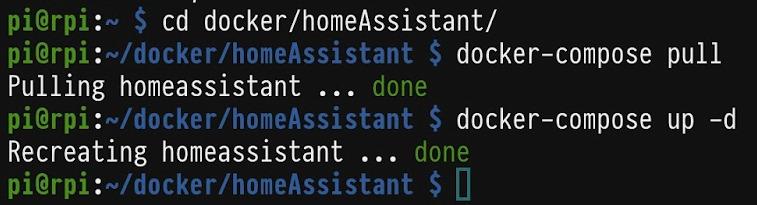
If you’ve done everything like described above, the output should look something like this:
Now revisit your Home Assistant dashboard and enjoy the newest version 😎